

Introduction
Small PRs are easier to review, revert, and ship. In a trunk-based release cycle, a 2000-line PR that touches five services isn’t just hard to review but also a deployment risk. Our team follows this principle: break features down into small, independent pieces, each shippable on its own. However, our project spans multiple layers: Python/Go microservices, gRPC definitions, and cloud infrastructure. A single feature can touch all of these layers.
Working on them efficiently, ensuring each piece is complete, and keeping commits and PRs clean, that is how we handle complex features. Using Claude Code’s custom skill system, we built workflows that cover the full development cycle on GitHub, from decomposing an issue into sub-issues to developing multiple pieces in parallel to verifying completeness to producing clean commits and pull requests.
Traditional development flow and challenges
When a complex feature request lands as a GitHub issue, it typically goes through three phases: planning, development, and verification. In the planning phase, the developer reads the requirements, manually creates sub-issues, identifies scope, writes descriptions, creates each one in GitHub, and links them to the parent, repeating this for every sub-issue. In the development phase, sub-issues are worked on one at a time: implement, test, commit, PR, review, merge, then pick the next one sequentially. Finally, reviewers check the overall delivery against the original epic. When gaps are found (a missed requirement, an overlooked edge case, etc.) the developer goes back to planning and the cycle restarts.
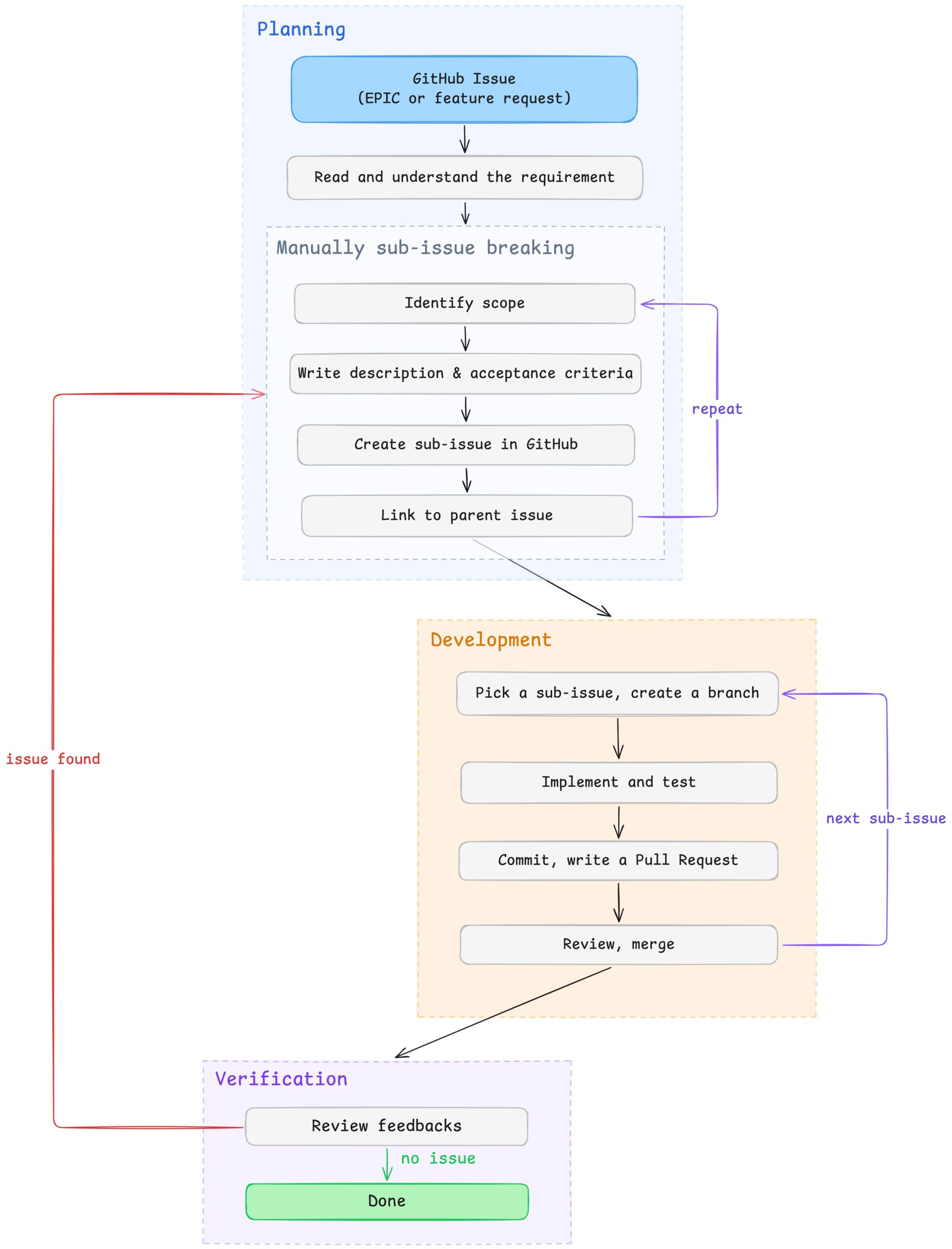
Fig. Traditional development flow
Each phase has a clear friction point: planning is manual and repetitive, development is sequential even when sub-issues are independent, and verification relies on manually cross-referencing the implementation against the original requirements. The following sections describe how we addressed each of these with Claude Code custom skills.
Utilizing AI in managing GitHub sub-issues breaking process
The plan-task skill takes a GitHub issue number, reads the issue context, and explores the codebase to identify which files, services, and patterns are involved. It then proposes a set of sub-issues, each scoped to one layer or concern. A proto definition change here, a backend service update there, a feature flag for gradual rollout, an infrastructure permission change. Each sub-issue includes a description, the files expected to be modified, and acceptance criteria as checkboxes.
The proposal goes through a human approval gate before anything is created. Titles can be adjusted, sub-issues merged, or added. Once confirmed, the skill creates them all in GitHub – labeled, assigned, added to the project board, and structurally linked to the parent using GitHub’s sub-issues API. By default, most coding agents reference the parent issue with something like “Part of #123” in the sub-issue body, which is just a text mention. It doesn’t give us a way to track progress from the parent, and we end up manually checking each sub-issue to know where things stand. To fix this, the skill explicitly links each sub-issue to the parent through a script that calls GitHub’s sub-issues API, creating actual parent-child relationships, not text references. Progress rolls up to the parent automatically, and the full breakdown is visible as a tree on the project board.
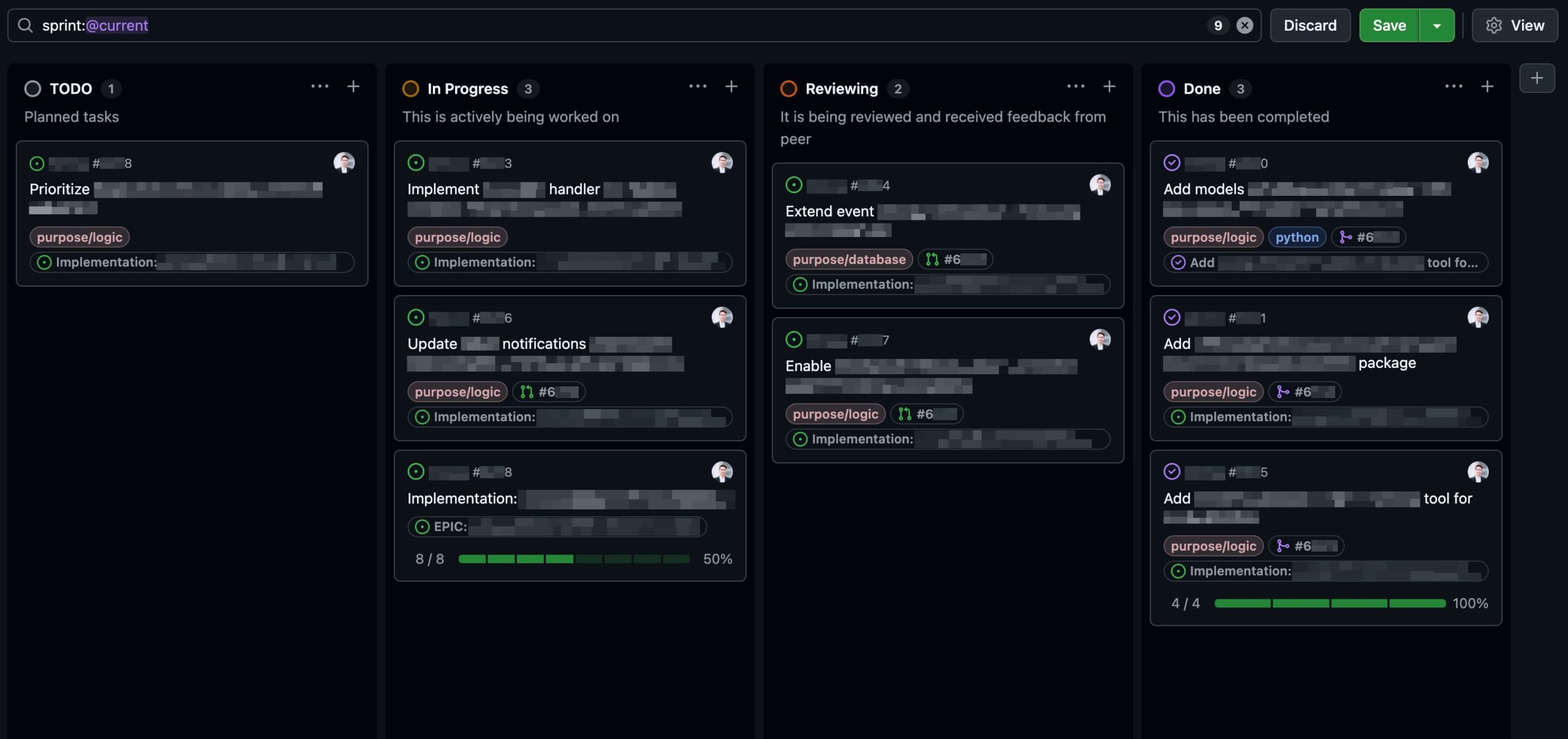
Fig. Issue & Sub-issues progress track on the board
Extending the ability to resolve issues in parallel
After breaking a feature into sub-issues, some pieces can run at the same time. A proto definition and an infrastructure tweak can run in parallel. Once the proto is defined, the backend gRPC handler and the client implementation can also run in parallel, since both build against the same generated code. Instead of working through them one at a time, you can hand independent pieces to separate workers.
The parallel-develop skill changes this. The developer passes the issue numbers to work on: /parallel-develop #203 #205 #206. This spawns three git worktrees and three tmux panes – one per issue. The number of panes matches the number of issues passed. Every worker runs in complete isolation: the skill creates a git worktree with its own branch, opens a tmux pane, and launches a Claude Code instance inside that worktree, automatically instructing it to start working on the assigned issue. Additional context can be passed inline, so each worker has what they need from the start. Each worker starts in plan mode – it analyzes the issue and presents a plan for approval before implementing anything. This keeps the developer in control: review each worker’s plan, approve, adjust, or redirect as needed before any code is written. The result is a coordinator-worker layout: the main pane on the left is where the developer monitors progress, while worker panes are stacked on the right. Navigation between panes is a keystroke away, and any worker can be interrupted if it goes off track.
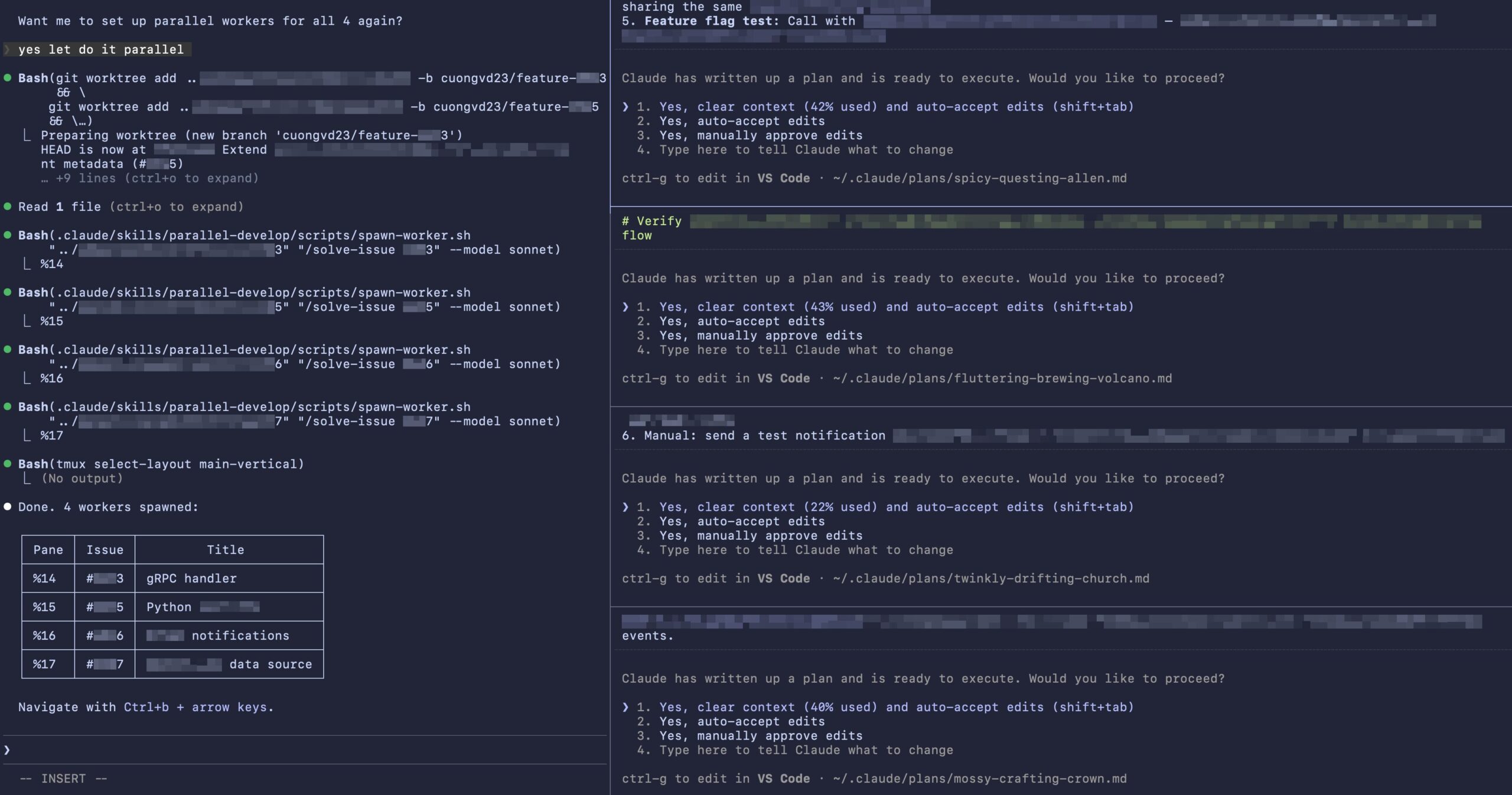
Fig. Spawn parallel panes in tmux main-vertical layout
The skill is dependency-aware. Before spawning workers, it checks whether any issues depend on the other’s output. Dependent issues are queued to run sequentially – only truly independent issues run in parallel. In practice, 4-6 parallel issues are the sweet spot. More than that, the panes become too small to read comfortably. Once all PRs are merged, cleanup is straightforward: kill the tmux panes, remove the worktrees, and delete the local branches.
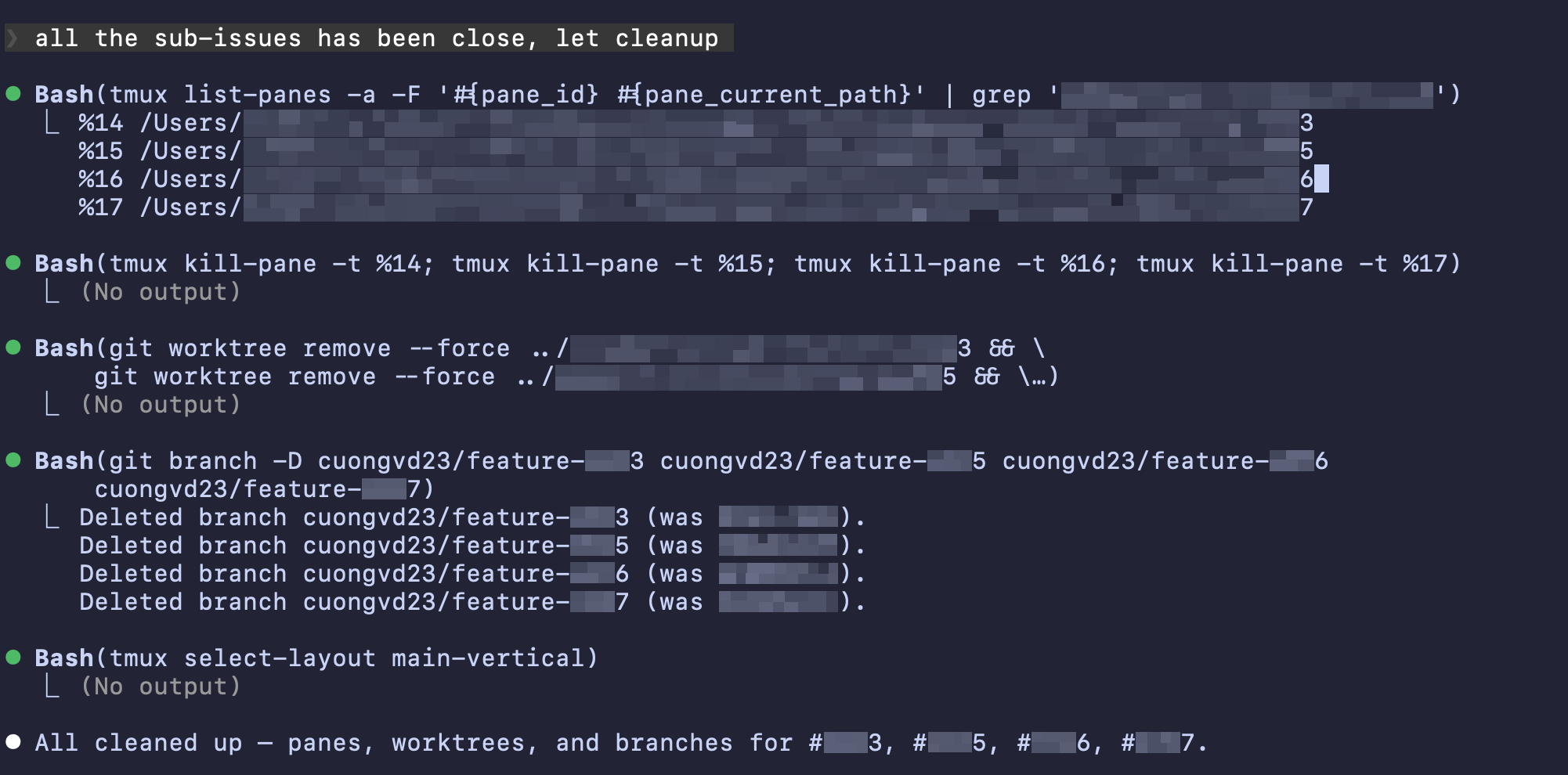
Fig. Cleanup parallel development
Verifying Completeness Before Shipping
A small PR is only useful if it’s actually complete. A half-done small change is worse than a large one that covers everything. It creates a false sense of progress while leaving gaps that surface later. We learned this the hard way. After finishing the implementation of a new machine learning model, we discovered that the model was only applied to one module instead of being applied across all relevant parts of the system. The gap went unnoticed through review, and it cost us two weeks of delay in evaluating the model’s performance. That incident prompted us to build the post-task-verification skill. It’s a read-only check that verifies whether the implementation fully satisfies the original requirements, and it can be run at any point before the change is officially released.
The skill takes a GitHub issue or PR number and fetches everything: the issue body, the comments, and the changes on the current branch. It then checks whether each requirement is actually covered in the code, whether expectations that were added in later comments got addressed, and whether the change was applied consistently across all the relevant places in the codebase. It also runs lint and tests based on the file types that were changed, and produces a report with pass/fail evidence for each requirement.
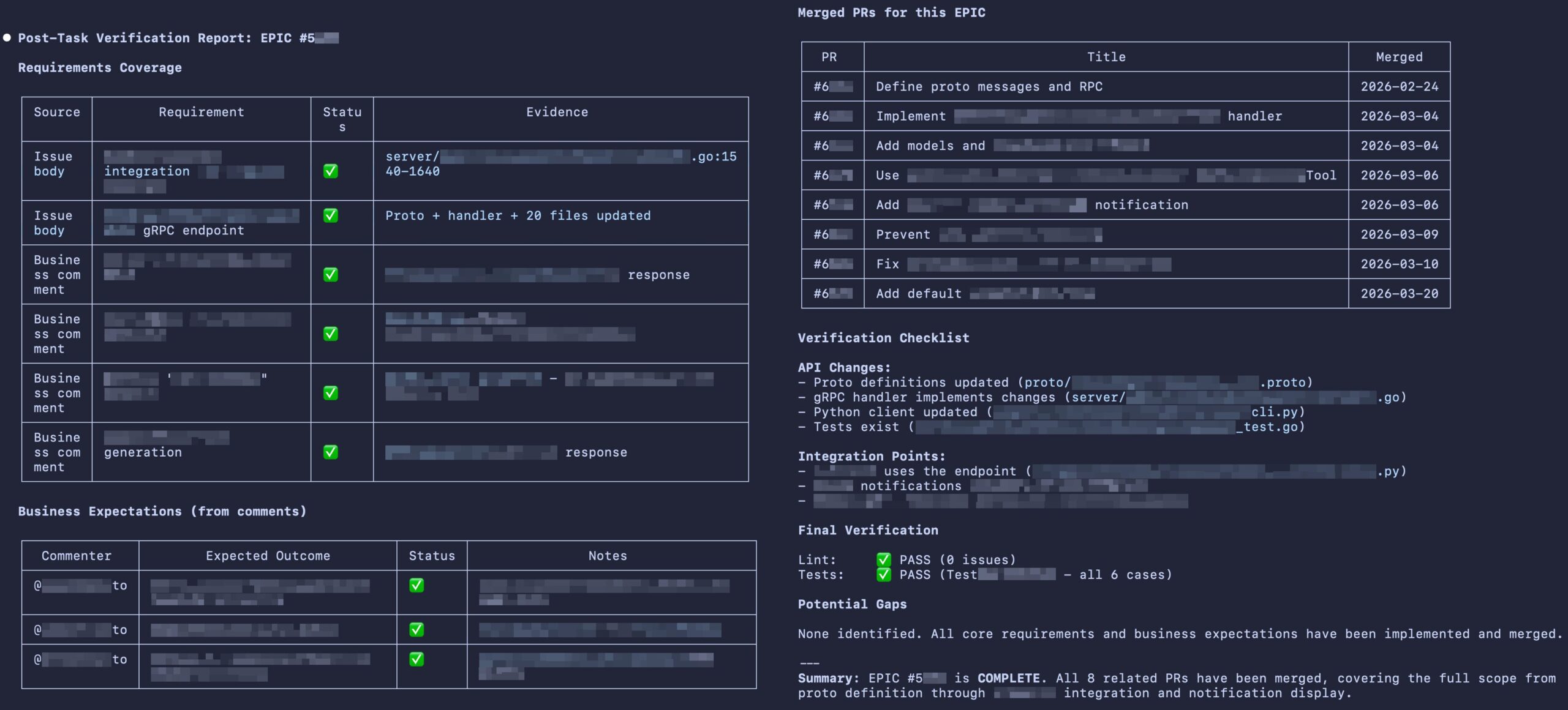
Fig. Post-task verification report
When breaking a feature into small pieces, each piece needs to stand on its own. The post-task-verification skill ensures that “small” doesn’t become “incomplete.” It catches the gaps before the feature is released, so developers can entrust their AI not to miss requirements even if parts of that feature are being resolved by different sub-agents.
Refining source control built-in skills
Claude Code can create commits and pull requests out of the box. But the default behavior tends toward a single commit with a generic message, which doesn’t match how we want our git history to look.
Commit & Revert: Every commit is a checkpoint
A commit should be a meaningful snapshot of one piece of work, not a dump of everything that happened during a session. When each commit is focused, the git history becomes readable and each change is independently revertible. This matters even more with coding agents. When an AI agent makes a mistake, a clean commit history gives it a precise undo mechanism: git revert <commit> instead of manually identifying and removing the wrong lines across multiple files.
The commit skill enforces this by analyzing all uncommitted changes and grouping them by purpose. Lint fixes stay separate from feature changes, and dependency updates stay separate from code changes. Each group becomes one commit, ordered from most independent to most dependent: lint/docs → dependencies → tests → schema → refactoring → bug fixes → features. Each commit follows a strict format: <prefix>: <short description> using conventional prefixes (feat, fix, chore, test, refactor, etc.). A single session might produce:
lint: fix import ordering in ai-service
chore: bump google.golang.org/api to v0.26x.x
test: add unit tests for user service
feat: add rate-limit feature to google API
Instead of:
Add rate-limit feature, fix imports, and update deps
This keeps every commit reviewable and revertible on its own. The same principle that drives our PRs applies one level deeper.
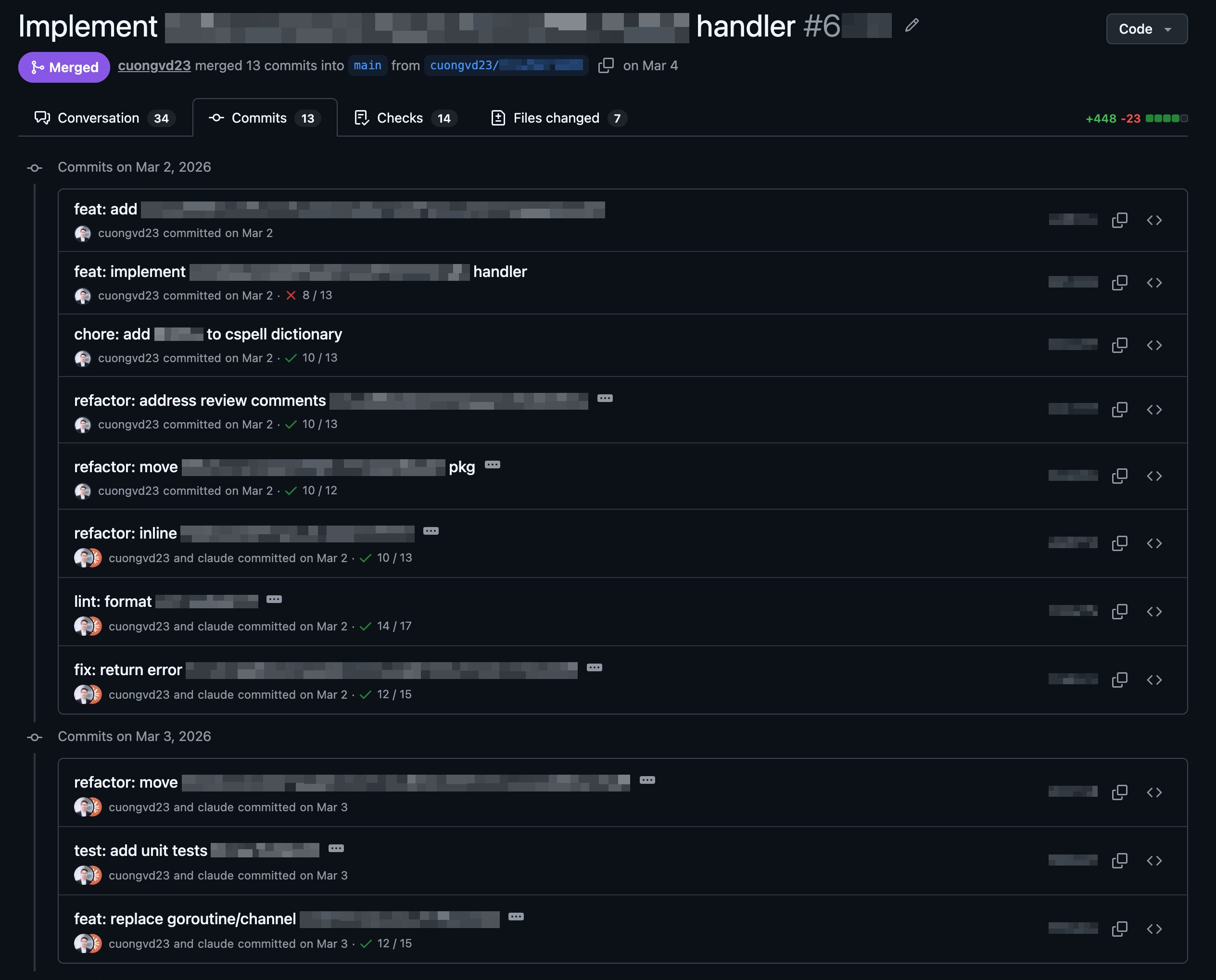
Fig. Rebuilt commit skill
Further Improvement
As we refined our source code traceability, we realized that keeping track of AI agent sessions is equally important. We want to have a snapshot of the AI session in order to identify the cause that can lead to unexpected outcomes when vibing with an AI coding agent. Recently, a platform called Entire.io – with an open-source CLI tool and a SaaS dashboard – has been introduced, and it looks very promising for what we’re looking for. We’re about to start utilizing Entire.io and will share our review in a follow-up blog post. Stay tuned for updates.
Summary
As we’ve shared throughout this post, we applied AI to automate the repetitive parts of our development cycle: from planning and decomposing issues, to implementing multiple pieces in parallel, to verifying that nothing was missed before shipping. Along the way, we also refined how commits and PRs are structured to keep the output clean and traceable. What made these skills worth building is that they let us entrust more to AI, not just writing code, but planning the work itself: breaking a complex feature into small, reviewable pieces, each scoped to one concern and shippable on its own. Because every piece is small and well-defined, the developer can keep up with progress at every step: reviewing plans, approving sub-issues, checking verification results, without getting overwhelmed by a massive changeset at the end.
We’ve open-sourced these skills as a Claude Code plugin. For installation and usage details, see the source at cuongvd23/piecewise-workflow.